PII Detection & Protection
Automatically detect and protect personally identifiable information (PII) using the platform’s built-in PII scanning capabilities.
Overview
The platform supports scanning database columns for personally identifiable information (PII) before masking. The PII scanner uses pattern matching (regex) and validation algorithms (Luhn) to identify sensitive data across multiple categories.
Running PII Scan
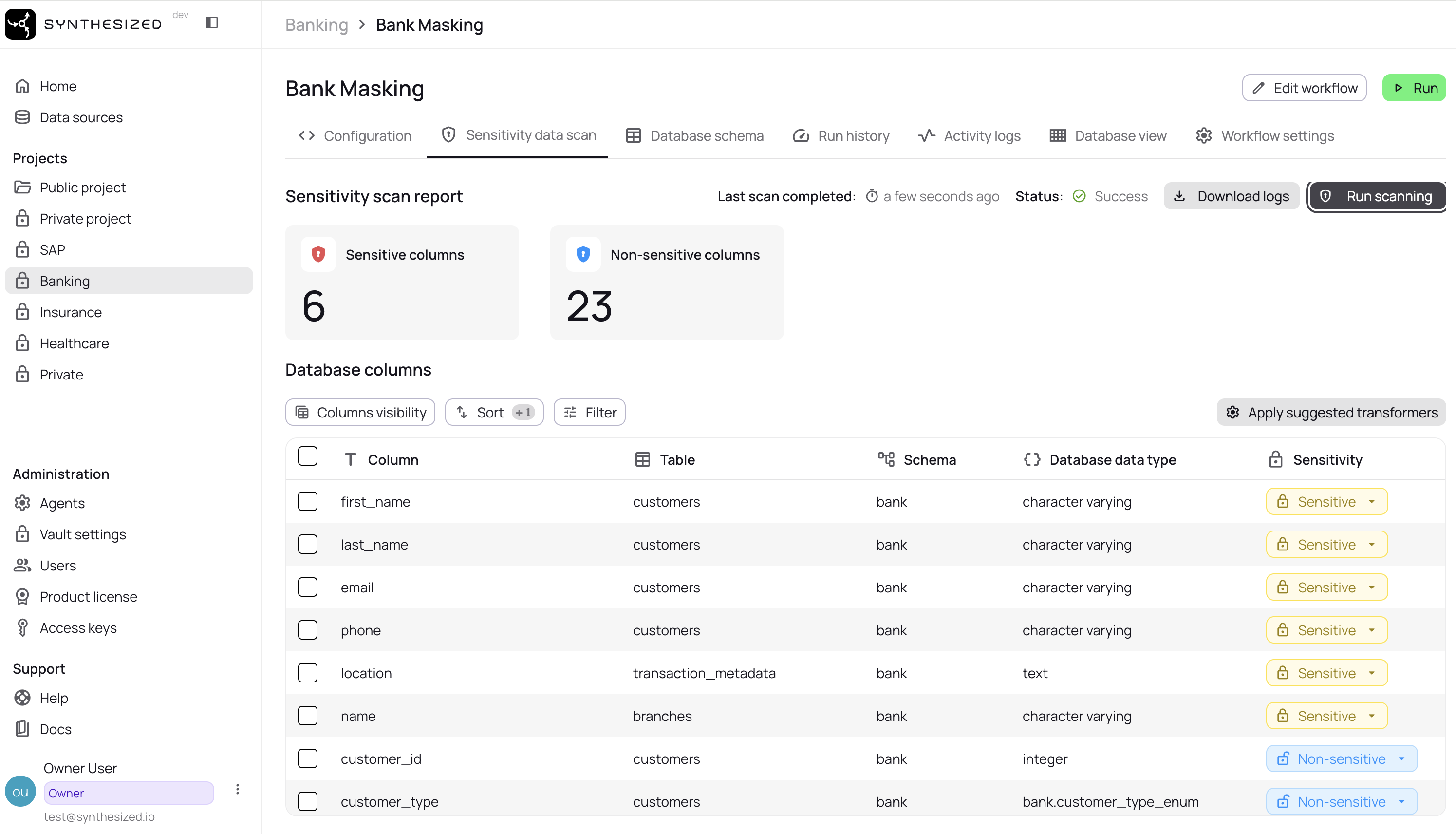
You can run PII scanning and apply transformers from the platform UI by following these steps:
-
Open the workflow you want to scan
-
Open "Sensitive data scan" from the left menu
-
Click the "Run scanning" button
-
Visually verify the list of database columns considered sensitive, displayed after scanning is complete. You can manually override columns to declare them sensitive or non-sensitive by selecting them and clicking the
update sensitivitybutton. -
Select all columns and click the "Apply suggested transformers" button; this will update your YAML configuration to include the suggested transformations.
-
Check the "Configuration" tab to see which transformers were applied
Custom PII Scanning Rules
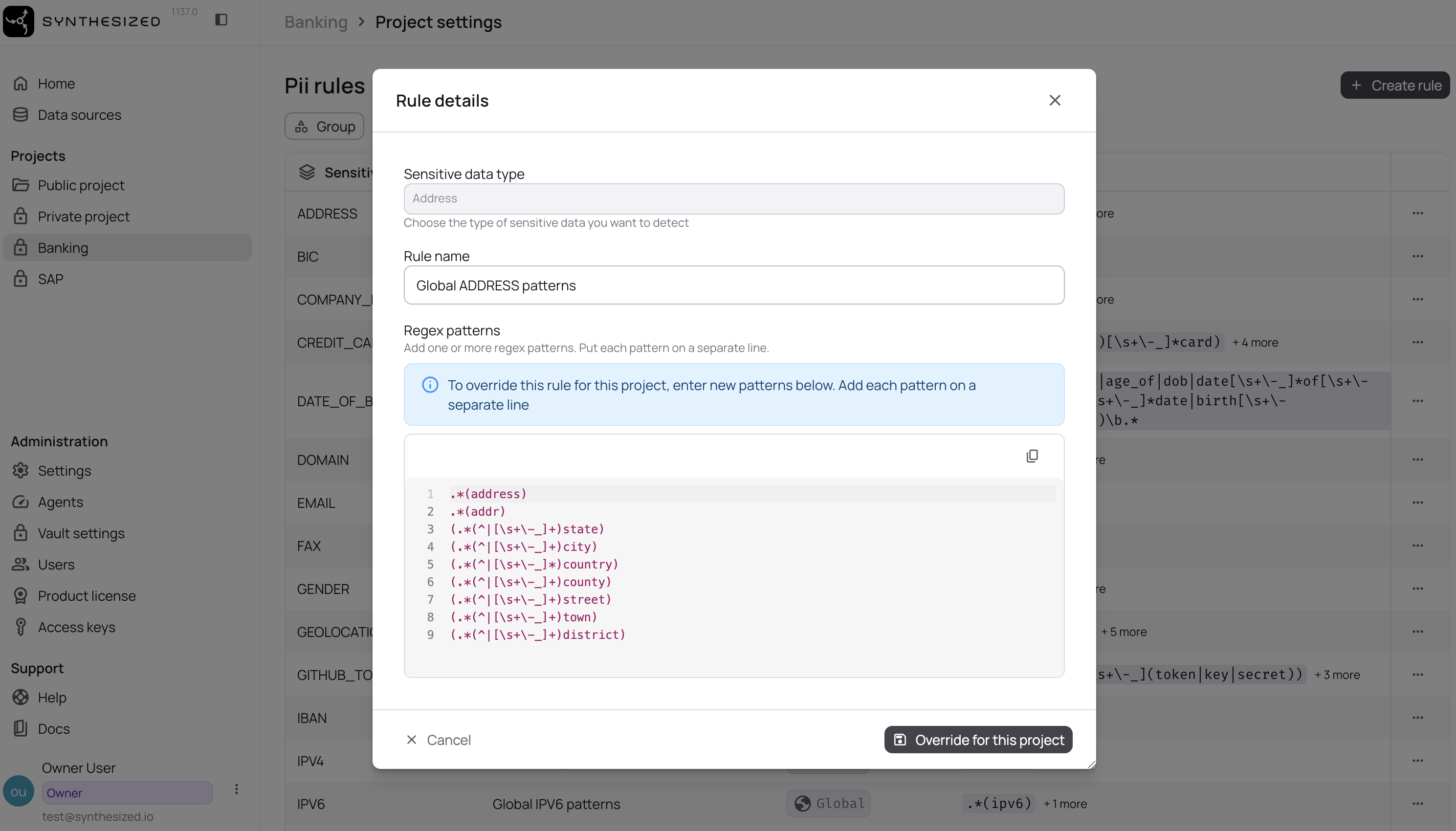
The platform allows you to define custom PII detection rules to match your organization’s specific requirements. Custom rules use regex patterns to identify sensitive data that may not be covered by the built-in global patterns.
Creating Custom Rules
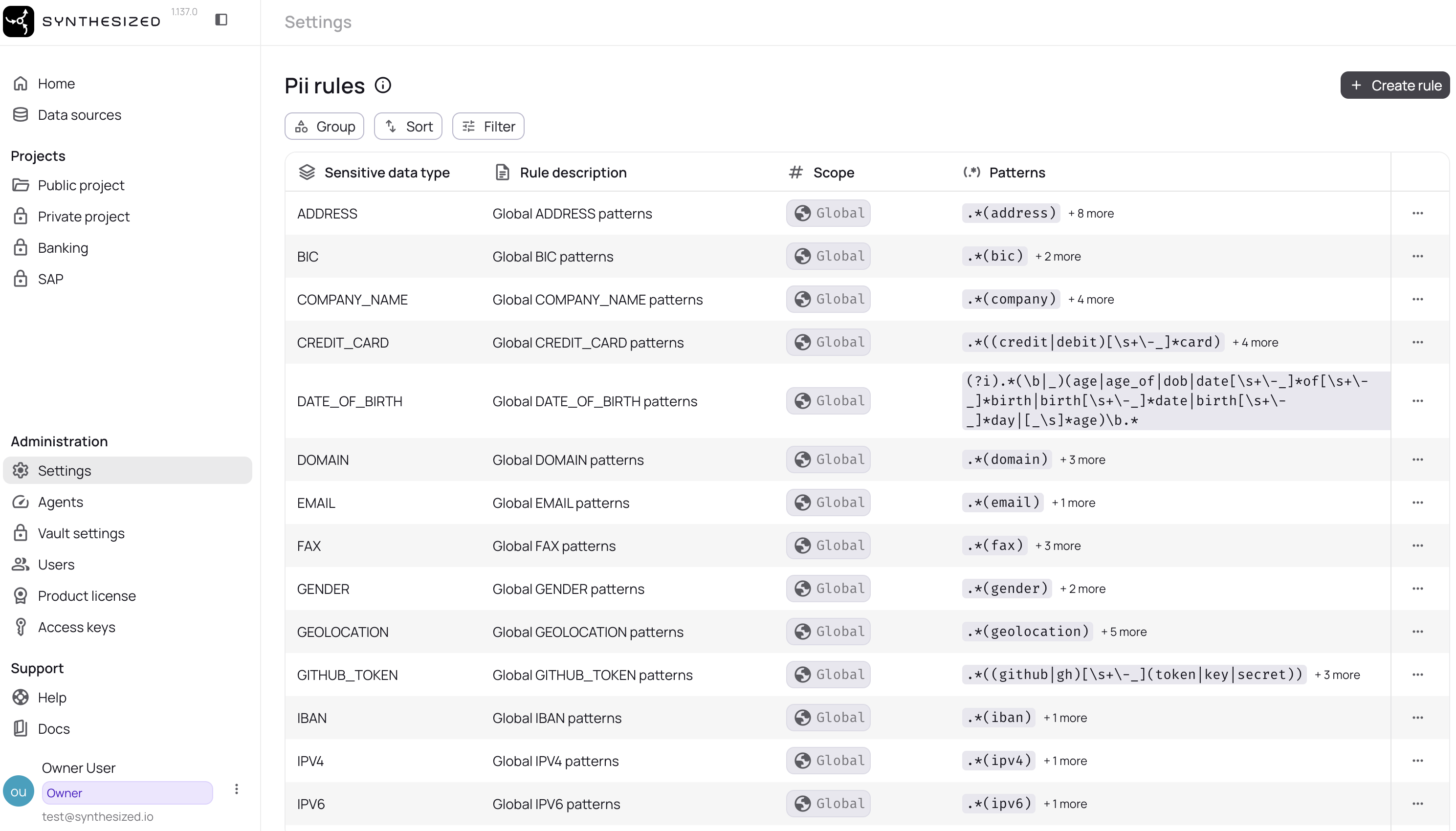
Organization Level (Administration → Settings):
-
Navigate to Administration → Settings → PII Rules
-
Click "Create rule"
-
Select the sensitive data type (Email, SSN, Credit Card, etc.)
-
Enter a description for your rule
-
Add regex patterns (one per line)
-
Save the rule
Project Level (Project Settings):
-
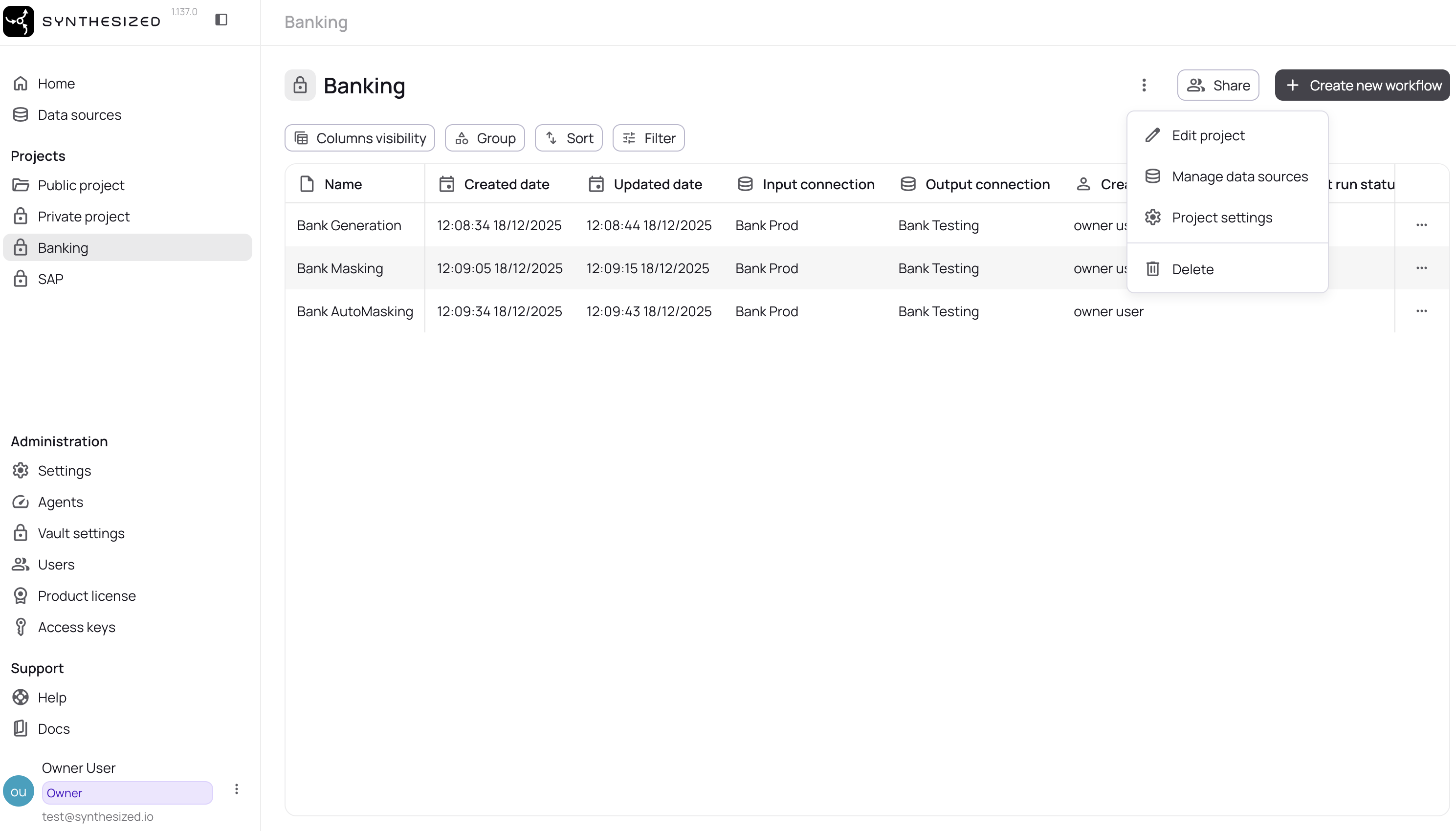
Open your project settings
-
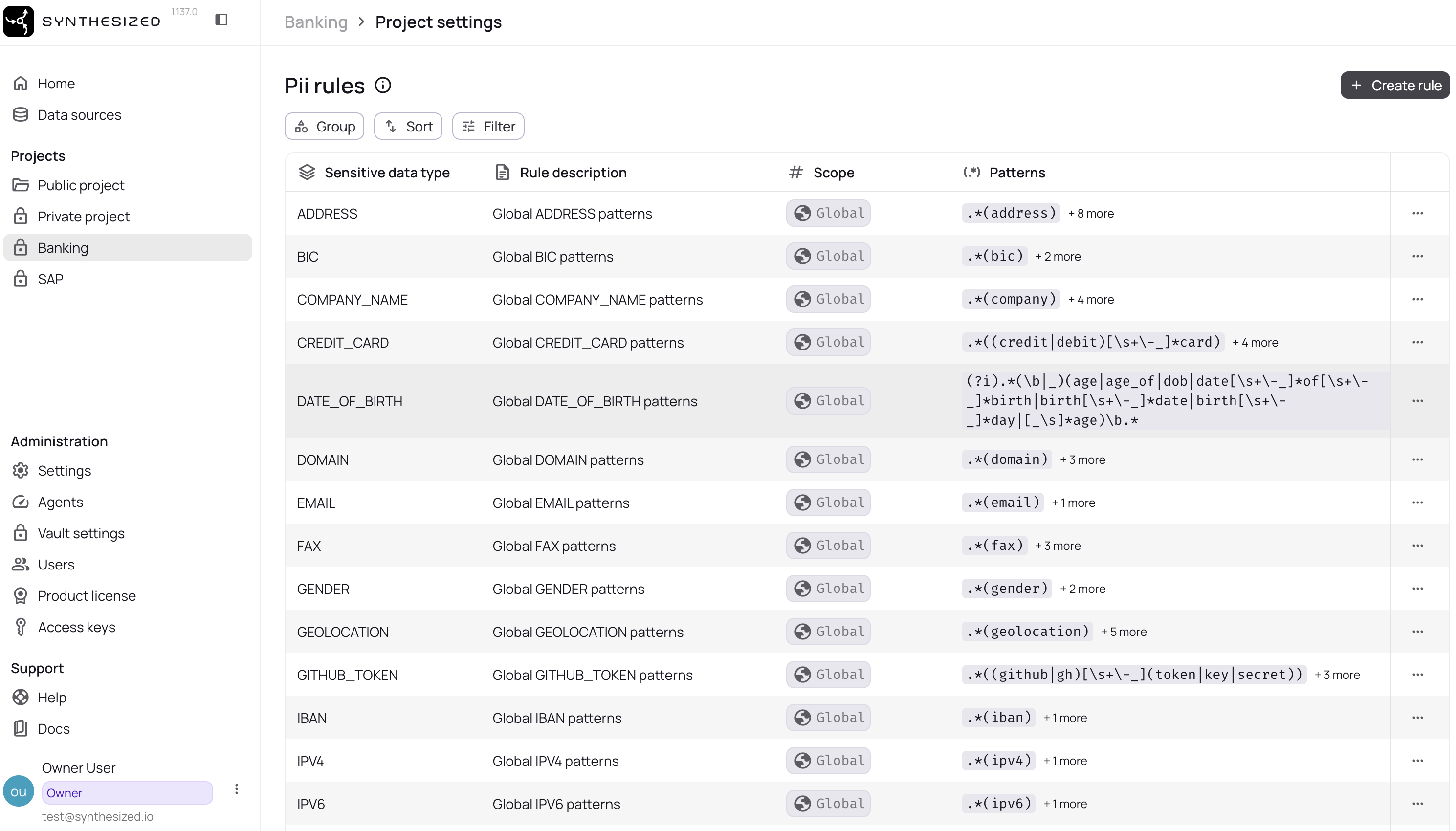
Navigate to PII Rules
-
Click "Create rule"
-
Select the sensitive data type
-
Enter patterns specific to this project
-
Click "Override for this project"
Supported Sensitive Data Types
The platform supports custom rules for 28 PII categories:
Identity Data: Email, Phone Number, SSN/National Insurance, Passport Number, Date of Birth, Person Name, Gender, Nationality
Financial Data: Credit Card, IBAN, BIC, Salary, Tax Identification Number (TIN), Legal Entity Identifier (LEI)
Location Data: Address, Postcode, Geolocation, IP Address (IPv4/IPv6), MAC Address, License Plate
Organizational Data: Company Name, Domain Name, Fax Number
Sensitive Categories: Race, Religion, Sexual Orientation
Security Data: Password, GitHub Token
Custom Rule Examples
Custom Email Patterns:
.*@internal\.company\.com
.*\.contractor@.*
.*@subsidiary\.com
Custom Phone Formats:
\d{3}-\d{3}-\d{4}
\(\d{3}\) \d{3}-\d{4}
\+44 \d{4} \d{6}
Custom SSN Variations:
\d{3}-\d{2}-\d{4}
\d{9}
[A-Z]{2}\d{6}[A-Z]
Custom Internal IDs:
EMP-\d{6}
CUST-[A-Z]{3}-\d{5}
Rule Override Behavior
When you create a custom rule for a data type that already has a rule at a broader scope, your custom rule completely replaces the broader rule for that data type.
Example:
Global EMAIL rule:     .*@.*                     (matches all emails)
Organization rule:     .*@company\.com           (overrides global)
Project rule:          .*@project\.company\.com  (overrides organization)
In this example, the project will ONLY scan for *@project.company.com patterns - the global and organization patterns are not applied.
Related Pages
-
Masking Data Guide - Apply transformers to PII
-
Security & Compliance - Regulatory requirements
-
Transformers Reference - All masking transformers
-
How Masking Works - Masking internals
-
Unstructured Data - Sensitive-information processing in files and communication exports