Cross-System Referential Integrity
Keep generated and masked data linked across the systems in a project, and see those links on the Cross-system references screen.
Overview
Cross-System Referential Integrity (CSRI) links related records across different systems in a project - for example, a customer ID that appears in a CRM database, an accounts database, and a billing system. Synthesized uses these links so that data stays connected across every system that references the same record: generated child records point at keys that exist in the parent system, and cross-system keys are kept intact when masking.
The Cross-system references screen of a project shows these links. It has two tabs:
-
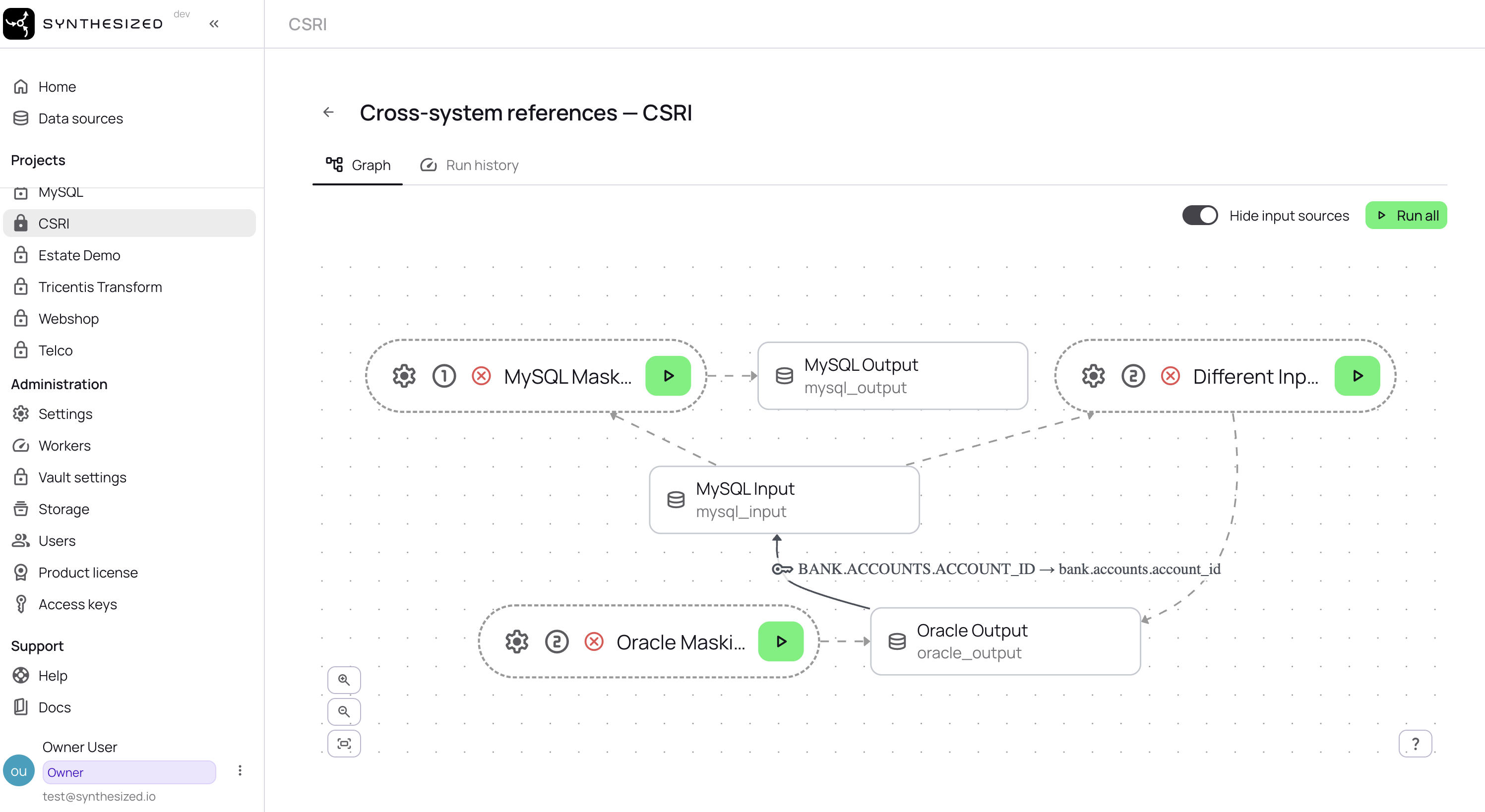
Graph - a visual map of the systems and the references between them, with a Run all button that runs the project’s workflows in dependency order.
-
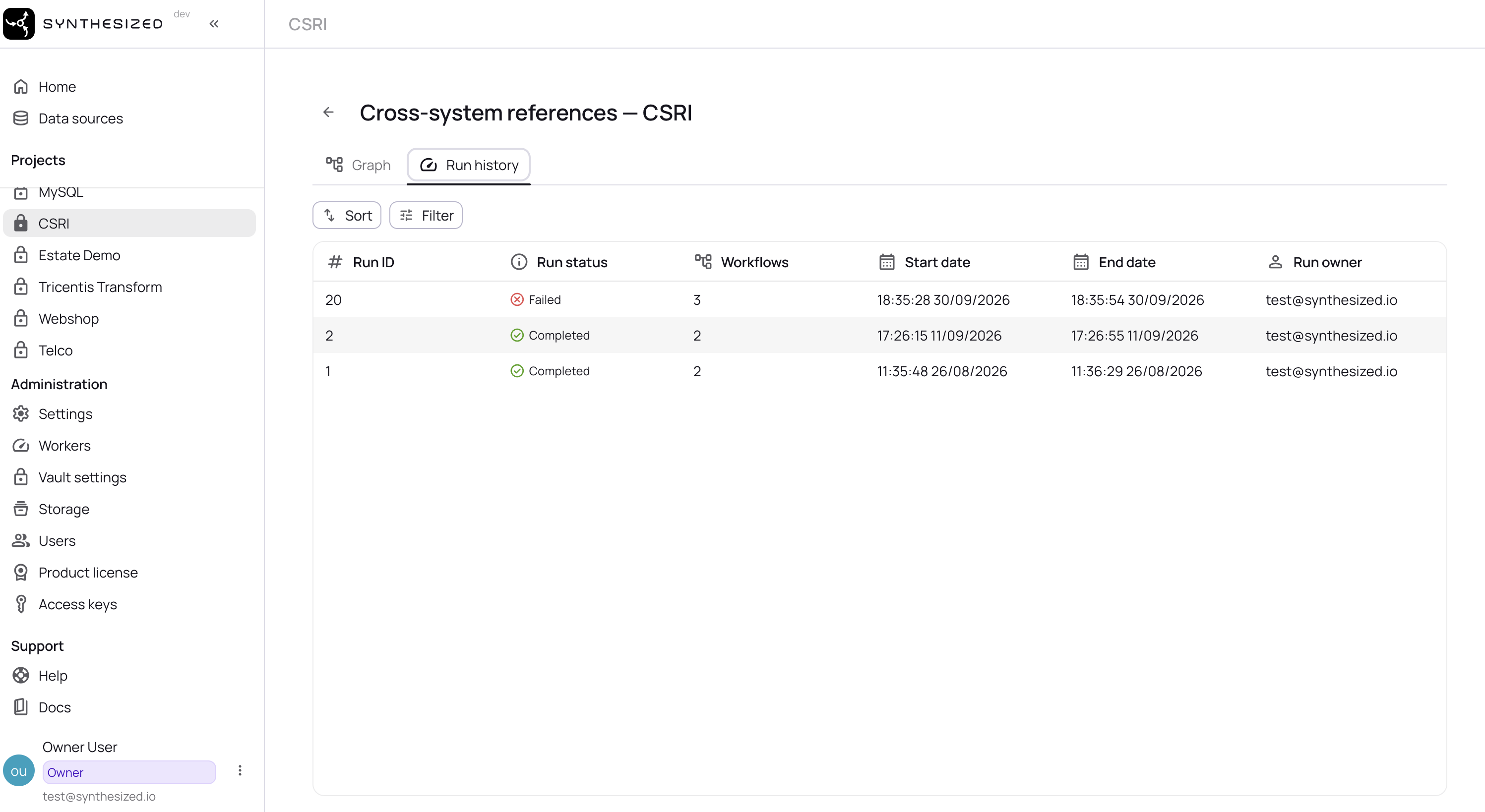
Run history - the list of past Run all runs, with details for each run.
Example scenario
Example: linked test data across three systems
The setup. A retail bank keeps customer records in an Oracle CRM, accounts and transactions in PostgreSQL, and daily statement extracts as CSV files. The same customer ID appears in all three.
The problem. To test a customer journey end to end, from onboarding to account opening to the monthly statement, test teams need realistic data in all three systems at once. Preparing each system separately breaks the links: a customer in the CRM test data no longer matches any account in PostgreSQL or any row in the statement file. End-to-end tests then fail for reasons unrelated to the code under test.
What’s needed. Test data that is privacy-safe in every system and still connected across them, so a record can be followed through every system that depends on it.
With Synthesized. Add the three data sources to one project and declare which fields refer to each other across systems. Synthesized then produces the data for all three systems in one coordinated run, so every customer ID in the output resolves in each system that references it. Use Graph to see how the systems are linked and to start that run, and Run history to review each run.
Steps
-
Open the project.
-
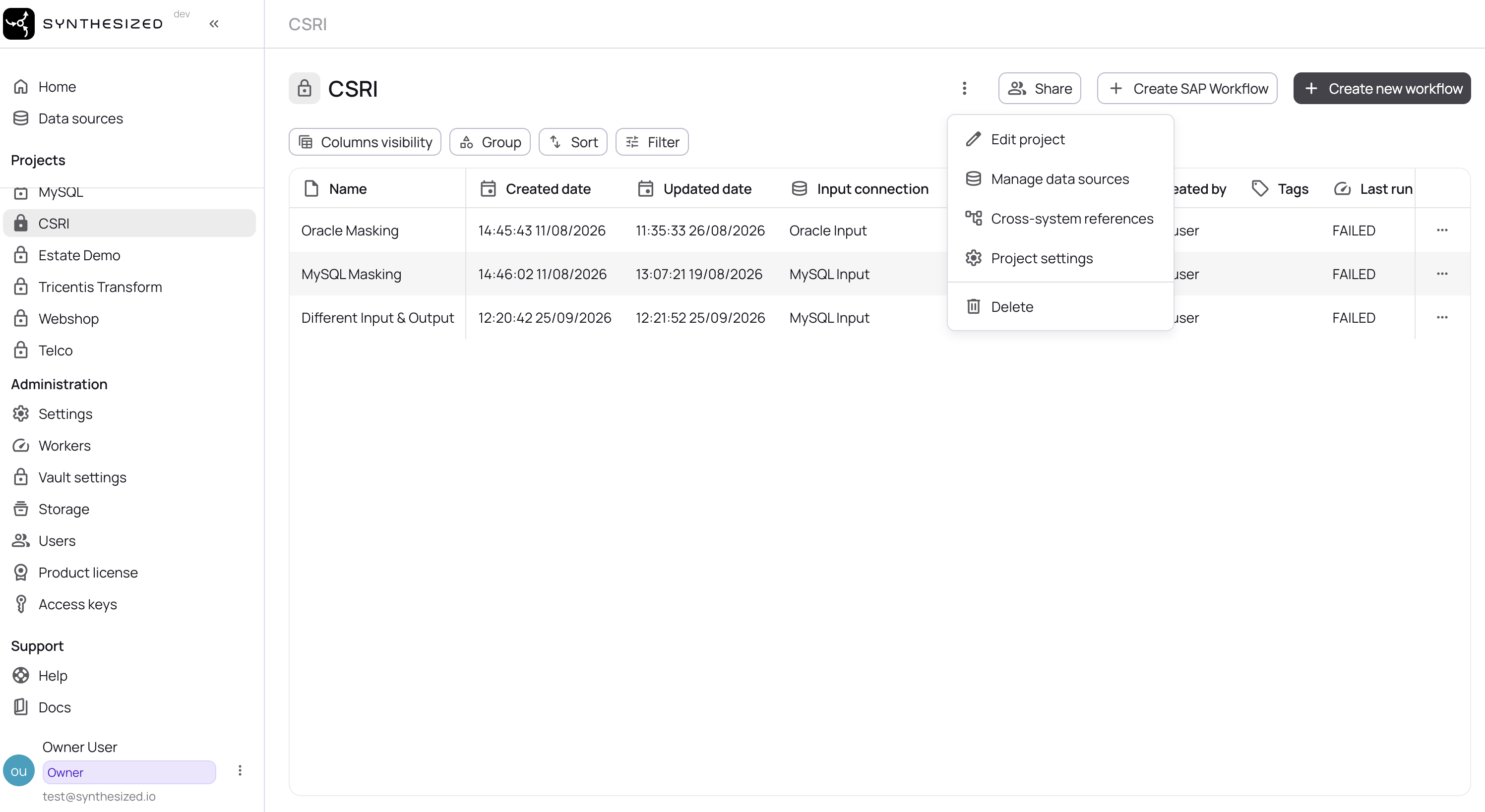
Open the project’s actions menu (the three dots next to the project name) and select Cross-system references.
-
Select the Graph tab to view the reference graph. Run all starts a run of every workflow in the graph.
-
Select the Run history tab to view past runs.
-
Select a run from the list to open its run details.